

Install the collection quiz
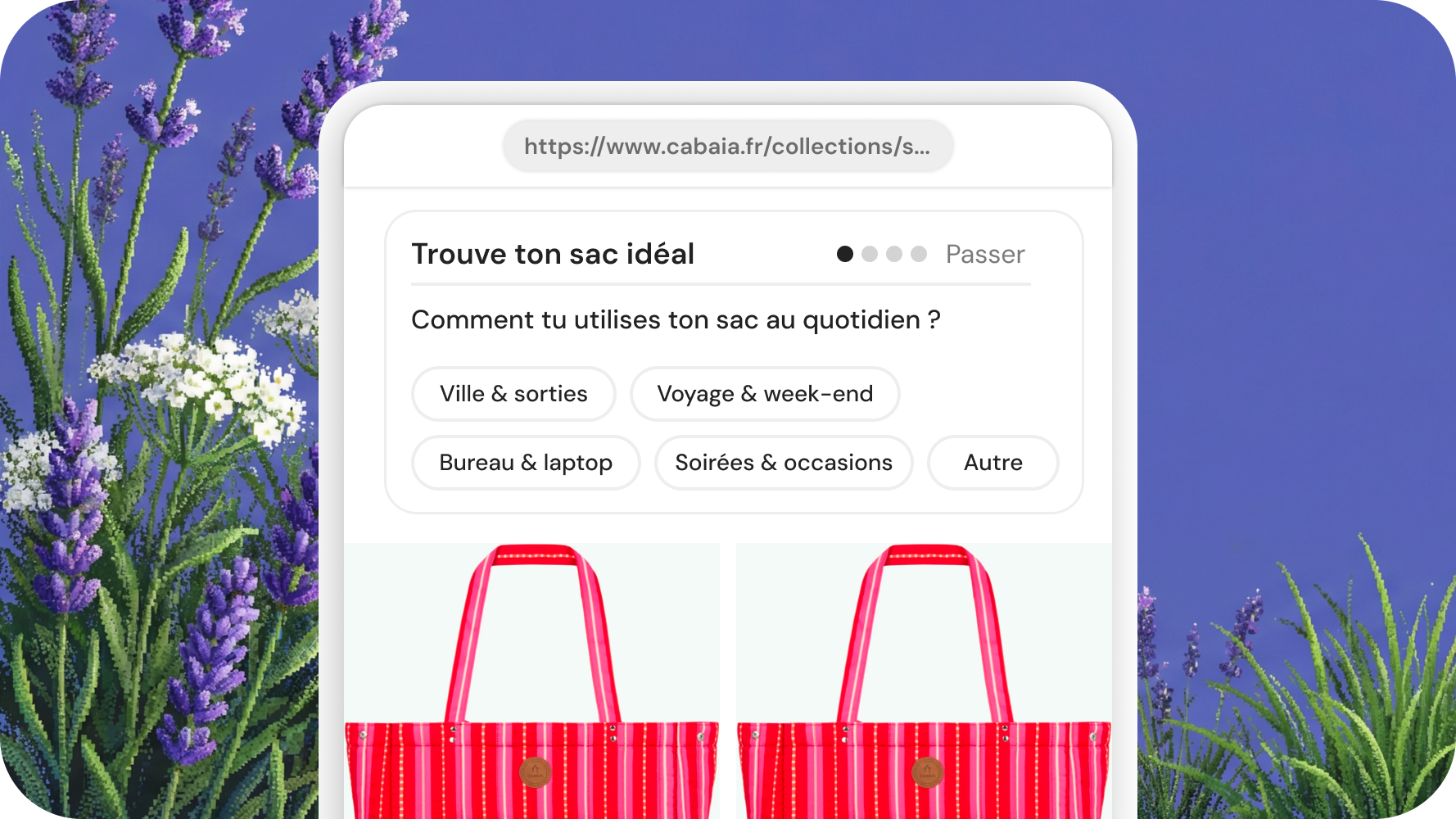
A multi-step discovery quiz on a collection page. AI-generated questions, streams a shortlist of products at the end.
Whitelist your domain first
Humind only renders on domains whitelisted in the URL whitelist page of your dashboard. Add every environment you embed on (prod, staging, preview, etc.).
Preview
Runs entirely client-side with collection-id="mock". No backend call.
The same quiz can also open full screen from a button, the pattern behind the quiz button theme block and the copy-paste example below. Try it:
Pick your integration path
Three ways to install <humind-quiz>, depending on your stack:
- Pure Shopify merchant: use a theme block, inline or button. No HTML to paste, all settings are exposed in the theme editor. See Shopify theme blocks.
- Non-Shopify store (SuperSmart, WooCommerce, Magento, custom stack, any headless storefront with no Shopify backend): paste the HTML and match
integrationto your platform. See Non-Shopify: copy-paste. - Hybrid: Shopify backend + headless storefront. Paste the HTML manually with
integration="shopify"so the widget talks to Shopify'scart.jsat your storefront origin. See Hybrid headless Shopify.
Shopify theme blocks
Two theme app blocks map to this widget. Both work on any template, and both resolve their collection the same way: on a collection page, the current collection is used automatically, so one block on the collection template covers your whole catalog. On any other page (home, landing page, product page), pick the collection in the block settings. Nothing renders on the storefront until a collection is resolved; the theme editor shows a hint instead.
No HTML to paste in either case. Nothing else to configure beyond the block settings.
Collection Quiz (inline)
The quiz rendered directly in the page, at the spot where you drop the block. All label attributes are exposed as block settings.
Collection Quiz button (full screen)
A single button, styled from the theme editor (label, colors, radius, size, alignment). Clicking it opens the quiz full screen on top of the page. Ideal when you run a dedicated quiz page and want your own content around the call to action.
In full-screen mode the recommendation is not shown on the page: when the visitor finishes, the Humind chat assistant opens on the quiz conversation and presents the recommendation there, with the product page, variant picker, add to cart, and the ability to keep asking questions. If the chat assistant is not enabled on the page, the results are shown in the overlay instead, so the flow never dead-ends.
Non-Shopify: copy-paste
<script src="https://widgets.thehumind.com/v1/loader.js" defer></script>

<humind-quiz
  collection-id="summer-2026"
  integration="supersmart"
  company-id="YOUR_COMPANY_ID"
  language="en"
></humind-quiz>integration: one ofshopify,supersmart,custom,playground. Usecustomfor anything not explicitly named (WooCommerce, Magento, bespoke stacks…).collection-id: the ID of the collection you've synced to Humind. See Custom catalog integration for how to sync it.company-id: grab yours from the Developer Credentials page. You can passshop-domaininstead if your domain is registered on your Humind company.
Hybrid headless Shopify
Shopify backend, but your storefront isn't a Shopify theme (Hydrogen, Next.js, Nuxt, etc.). Paste the HTML manually and keep integration="shopify". The widget will hit /cart/add.js at your storefront origin for add-to-cart, and expects Shopify handles/GIDs on collection-id.
<script src="https://widgets.thehumind.com/v1/loader.js" defer></script>

<humind-quiz
  collection-id="summer-2026"
  integration="shopify"
  shop-domain="store.myshopify.com"
  language="en"
></humind-quiz>
collection-id accepts any of:
- Shopify collection handle (e.g.
summer-2026) - Shopify GID (e.g.
gid://shopify/Collection/12345) - Humind internal collection ID (24-char hex)
Full screen from your own button
On Shopify the quiz button theme block does this without code. Everywhere else, or if you want full control over the trigger, wire it yourself: a button of yours, and a script that mounts <humind-quiz display-mode="page"> in a fullscreen overlay when clicked.
The button is entirely yours. Keep your own classes and design, only the id matters:
<button type="button" id="quiz-trigger">Find my product</button>The script, once per page:
<script src="https://widgets.thehumind.com/v1/loader.js" defer></script>

<script>
(function () {
  var overlay = null;

  function openQuiz() {
    if (overlay) return;

    // Fullscreen overlay, created on the fly. Nothing to style on your side.
    overlay = document.createElement('div');
    overlay.style.cssText =
      'position:fixed;inset:0;z-index:2147483000;background:#fff;overflow:auto';

    var quiz = document.createElement('humind-quiz');
    quiz.setAttribute('display-mode', 'page');
    quiz.setAttribute('integration', 'shopify');
    quiz.setAttribute('collection-id', 'summer-2026');
    quiz.setAttribute('shop-domain', 'store.myshopify.com');
    quiz.setAttribute('language', 'en');

    // The visitor went back past the first question, or the recommendation
    // was handed over to the chat assistant: close the overlay either way.
    quiz.addEventListener('page-back', closeQuiz);
    quiz.addEventListener('results-in-chat', closeQuiz);

    overlay.appendChild(quiz);
    document.body.appendChild(overlay);
    document.body.style.overflow = 'hidden';
  }

  function closeQuiz() {
    if (!overlay) return;
    overlay.remove();
    overlay = null;
    document.body.style.overflow = '';
  }

  document.getElementById('quiz-trigger').addEventListener('click', openQuiz);
})();
</script>
Swap integration, collection-id and shop-domain (or company-id) for the same values you would use in an inline embed; the sections above apply unchanged.
In page mode the quiz does not render its recommendation in the overlay. When the visitor finishes, it opens the Humind chat widget on the quiz conversation and emits results-in-chat so your page can close the overlay. If <humind-widget> is not on the page, the results render in the overlay instead and the event never fires.
Attributes
Required
| Attribute | Type | Purpose |
|---|---|---|
collection-id | string | Shopify handle/GID, or the external ID you previously pushed for this integration via the catalog API. Pass "mock" for an offline demo. |
integration | 'shopify' | 'supersmart' | 'custom' | 'playground' | Platform key. Must match the value used when the collection was synced. Backend rejects any other value with 400. |
Also need one of company-id or shop-domain so the backend can resolve your company.
Identity
| Attribute | Type | Default | Purpose |
|---|---|---|---|
company-id | string | - | Recommended for non-Shopify merchants. Your Humind company ID from the Developer Credentials page. Takes precedence over shop-domain. |
shop-domain | string | - | Alternative to company-id. Matched against the domains registered on your company (protocol stripped, exact match). Standard choice on Shopify. If neither company-id nor shop-domain is set, your company can't be resolved and the widget loads a placeholder quiz. |
market-key | string | - | Multimarket setups only: names the market when several markets share the same domain (required there, ignored on single-market domains). Set automatically on Shopify. Same behavior as the chat widget: see several markets on one domain. |
is-playground | boolean attr | false | Marks the session as playground (disables production analytics). Accepts "", "true", or true. |
hide-continue-in-chat | boolean attr | false | Hide the "Continue in chat" button on the results screen. Accepts "", "true", or true. |
language | string | fr | ISO 639-1 code. Also localizes all label defaults below when those attributes are left blank. Supported: en, fr, de, es, ar, it, nl, pt, ru, zh. |
display-mode | 'compact' | 'page' | compact | compact renders the quiz inline with its results in place. page is the full-screen layout: always expanded, and the finale is handed over to the chat widget (see Full screen from your own button). |
page-image-url | string | - | page mode only. URL of a visual shown next to the questions in the full-screen layout. |
Labels (i18n override)
Every user-facing string is auto-localized to language when the attribute is left blank. Pass an explicit value to override the auto-translation. All label attributes are reactive: updating them live re-renders the widget.
| Attribute | Default (en) |
|---|---|
start-label | Start Quiz |
loading-label | Loading quiz... |
title-label | Product Finder |
skip-label | Skip |
other-label | Other |
continue-label | Continue |
type-answer-placeholder | Type your answer... |
results-title-label | Your selection |
step-analyzing-label | Analyzing your answers... |
step-searching-label | Searching products... |
step-found-label | Products found! |
step-writing-label | Writing recommendation... |
agent-name | Assistant |
add-to-cart-label | Add to cart |
continue-in-chat-label | Continue in chat |
The "Continue in chat" button is shown by default on the results screen with the label from continue-in-chat-label (default Continue in chat). Clicking it dispatches humind-continue-thread, caught by <humind-widget> on the same page. Pass hide-continue-in-chat to remove the button entirely.
Theming
<humind-quiz> has no color API. Its look is driven entirely by the dashboard theme. The widget uses light DOM (no Shadow DOM) but ships with a self-contained system font stack (system-ui, -apple-system, sans-serif) and does not inherit typography from the host site. Ask support if you need a custom typography pass.
Events
| Event | Target | When |
|---|---|---|
humind-continue-thread | window | User clicks the "Continue in chat" button. |
cart:updated | document | Shopify only, after a successful POST /cart/add.js. |
page-back | <humind-quiz> element | page mode only. The visitor navigated back past the first question. Close your overlay. |
results-in-chat | <humind-quiz> element | page mode only. The recommendation was handed over to the chat widget. Detail: { threadId, threadToken }. Close your overlay. |
humind-continue-thread detail
{
  threadId: string;
  threadToken: string;
  isPlayground?: boolean;
}
Emitted when the user clicks the "Continue in chat" button (shown by default, unless hide-continue-in-chat is set or continue-in-chat-label is explicitly empty) and a product search has produced a thread. <humind-widget> on the same page listens for it and re-opens with that thread.
Mock mode
Pass collection-id="mock" to render a hard-coded sample quiz without hitting the backend. Useful for styling.
<humind-quiz collection-id="mock" integration="playground"></humind-quiz>